PlanIt AI Modeler is here: more landmarks for the photographs you imagine
From community-built models to an AI-assisted workflow, we are making it easier to add landmarks to PlanIt. Suggest a model, share reference photos, and check heights with the measurement tools.
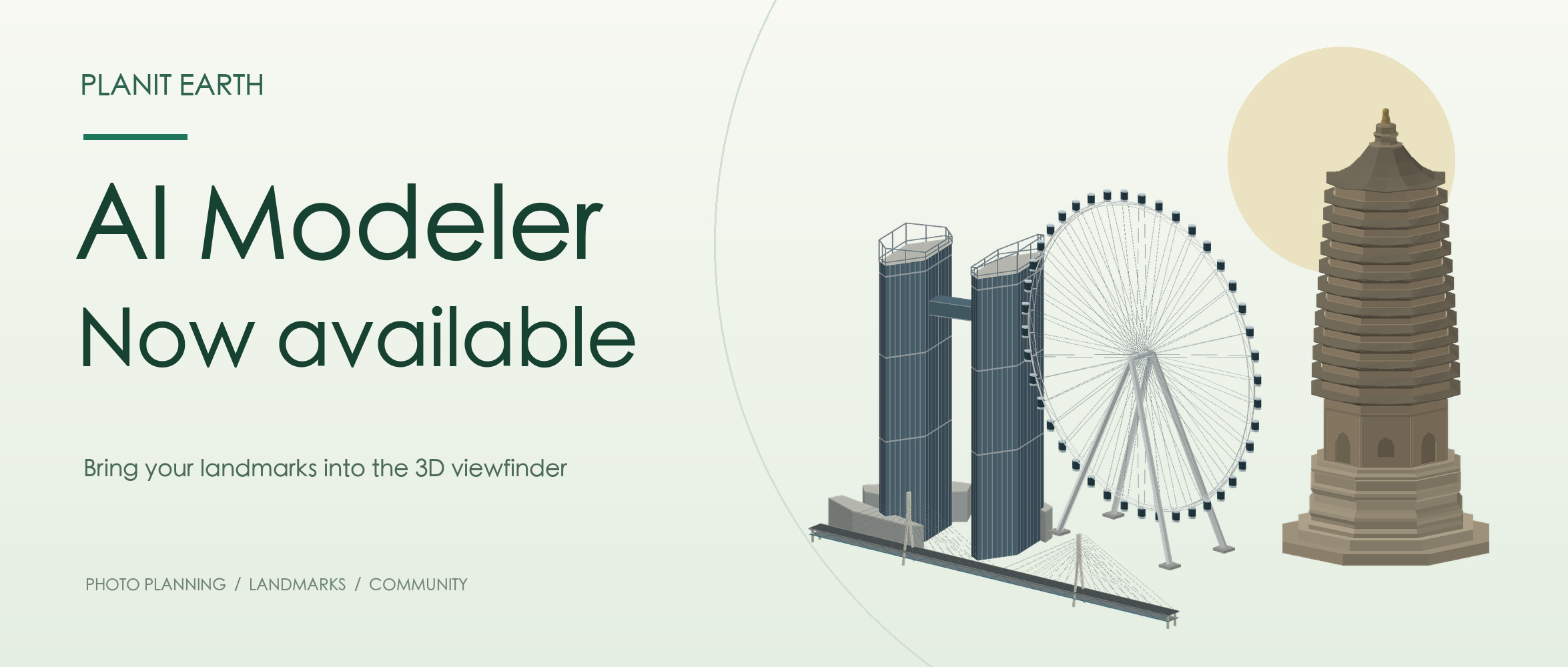
You find a landmark, work out where the Sun or Moon will be, and open the 3D viewfinder—only to discover that the building has no model. A tower, pavilion or bridge may be the subject of the photograph. Without it, much of the composition has to stay in your imagination.
This is a problem I have felt personally for a long time.
Why it has taken so long
Commissioning a single model could cost one to several hundred dollars. One or two might be manageable. Paying for all the landmarks in PlanIt, and every new place photographers discover, simply was not sustainable.
Back in the Pro edition, I turned to a community approach, a little like crowdfunding: people pooled their requests and effort to help build the collection. Many generous users made and shared models that helped other photographers. I remain grateful for those contributions.
But progress was still slow. Knowing how to find a viewpoint or take a photograph does not mean knowing how to make a 3D model. For many people, modeling was where a promising plan got stuck.
A workflow I have kept working on
I have been experimenting with AI modeling for years, including tools such as Hunyuan that I previously recommended. They opened up possibilities, but turning their output into something useful in PlanIt still involved considerable work. The overall speed and efficiency were not what I hoped for.
Photography planning has particular needs: the top of a tower, the building's height, the spacing between bridge towers, roof profiles and real openings all affect how a landmark lines up with the Sun and Moon.
As AI has improved, repeated experiments have finally led to a workable AI-assisted modeling process. PlanIt AI Modeler is now available.
Check the landmark as it stands today
We cross-check satellite imagery, publicly available current photographs, restoration documentation and locally available 3D data to establish approximate positions, main dimensions and visible shapes. Sources can disagree. A roof ornament in an old drawing may have changed, and repairs can alter a building's outline.
Recent examples in China include Nanchan Temple's main hall, using published survey and repair material with current photographs; Ayuwang Pagoda in Daixian, comparing an elevation drawing with more recent ground and aerial images; and Jinan Jianbang Yellow River Bridge, retaining the relative heights of its three towers, its main spans, and open spaces below the deck and between cables. Fine carvings, individual roof tiles and other small details are simplified.
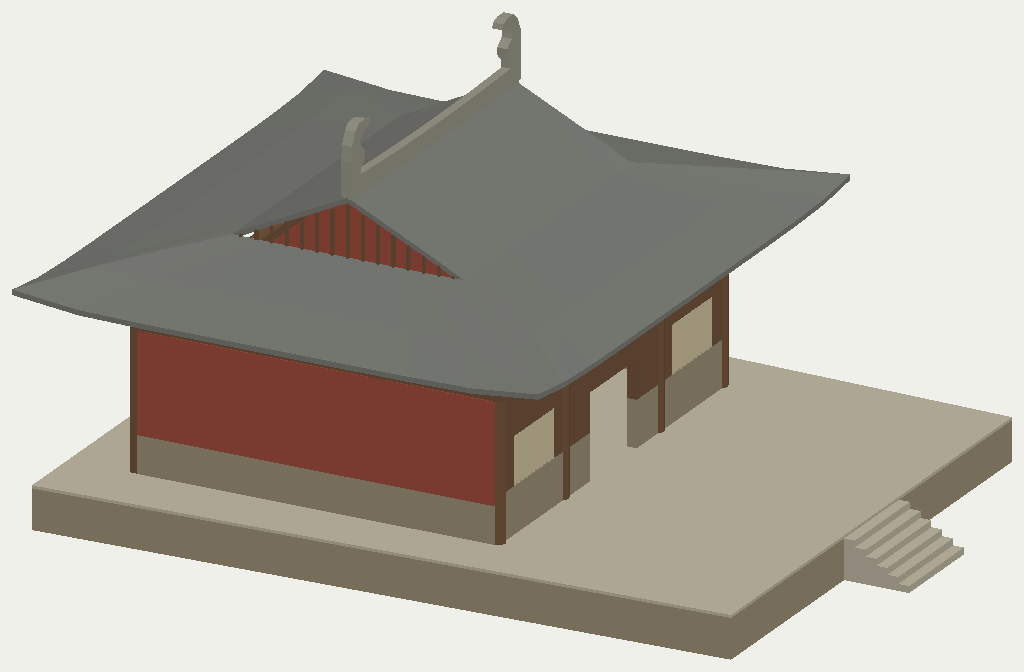
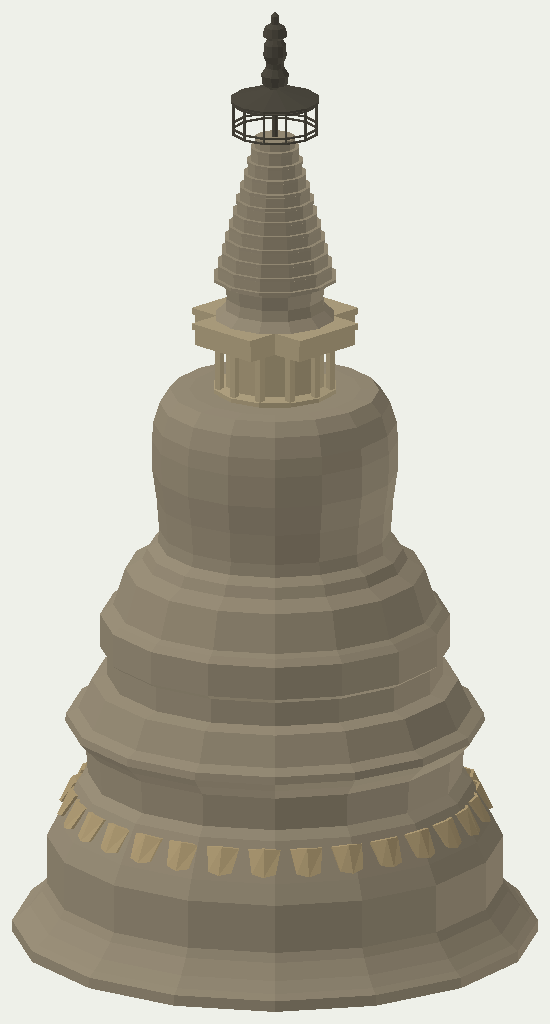
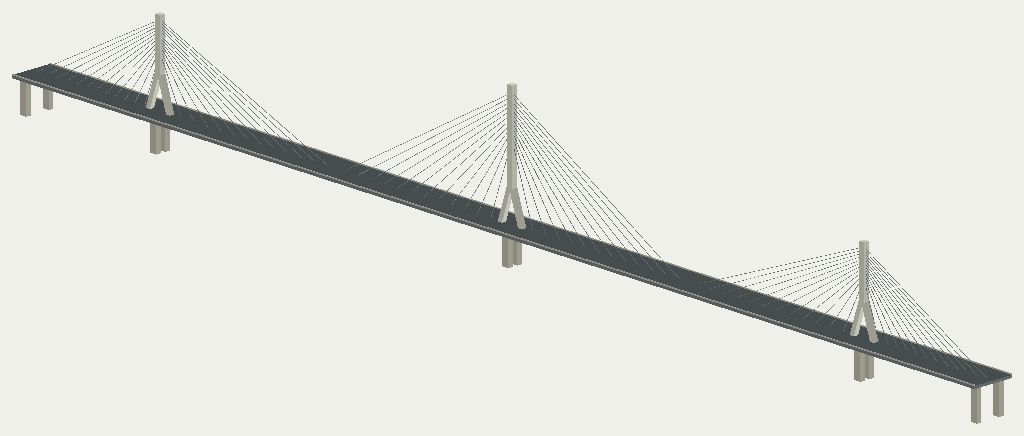
These are photography-planning models, not survey-grade measurements. Dimensions, placement and details may be imperfect. A composition in which the Moon just touches a spire, or the Sun passes through an opening, still needs on-site confirmation.
Check heights with the measurement tools
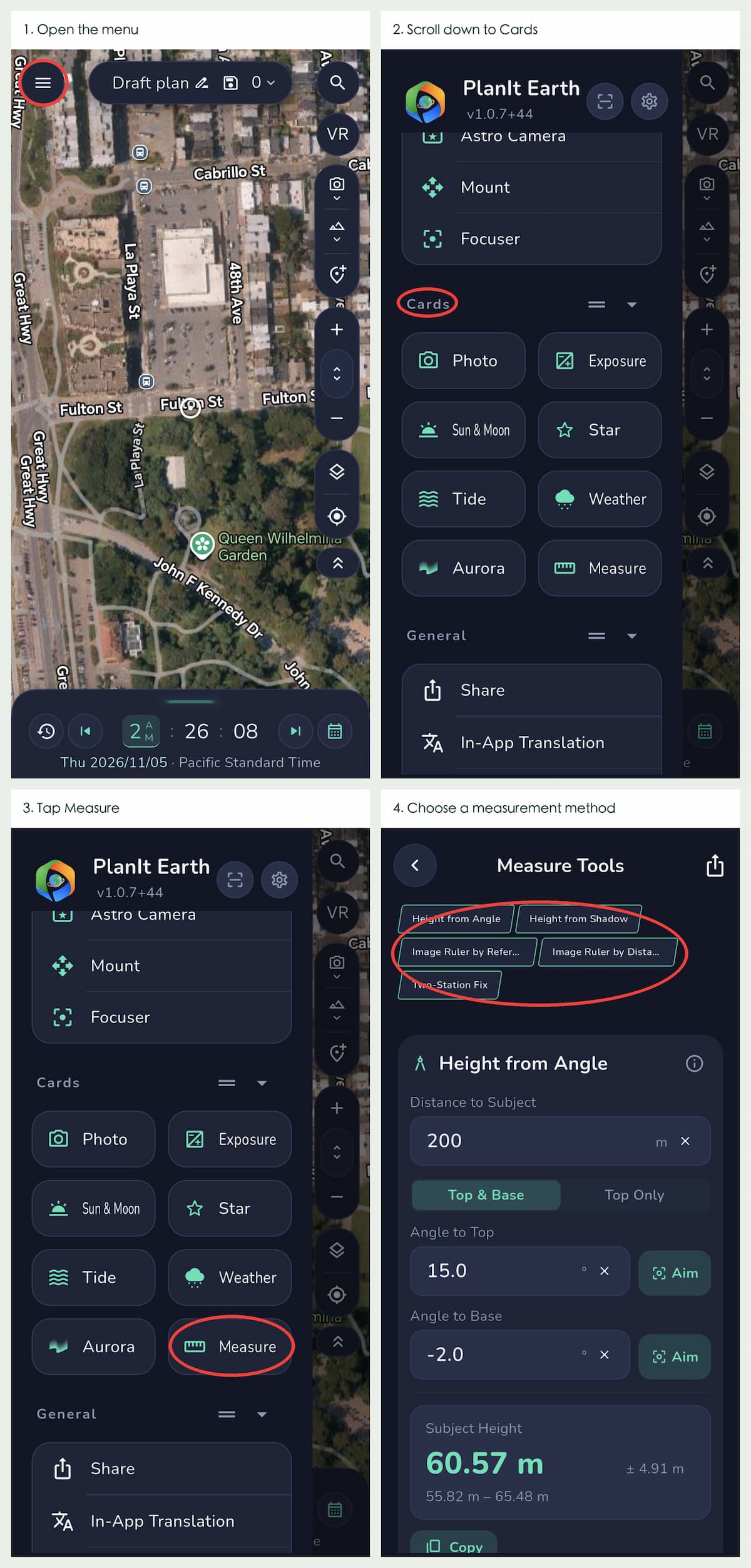
In PlanIt Earth, open Menu → Cards → Measure. Choose a method according to the information you have:
- Height from Angle: use a known horizontal distance and the angle to the top. If the base is visible, measure both top and base.
- Height from Shadow: use a clear, measurable shadow and the Sun's elevation for that exact place and time. Include the ground slope where necessary. Do not apply the current Sun angle to satellite imagery with an unknown capture time.
- Image Ruler by Reference: use a photo containing an object of known size, preferably at approximately the same distance as the subject. Compare their dimensions in the image.
- Image Ruler by Distance: use the shooting distance, focal length and sensor size to estimate dimensions in a photo. Prefer the uncropped original from a rectilinear lens; fisheye distortion and cropping can affect results.
- Two-Station Fix: observe the same point from two positions when the subject is hard to reach or its distance is unknown. Give the stations enough sideways separation and keep the phone compass away from metal and vehicles.
Photos, distances, GPS and phone sensors also introduce uncertainty. Where possible, cross-check with two methods. Share your observations, photos and measurement conditions with us so we can improve a model.
A 3D model can be a very small file
AI can work directly in PlanIt's own OBJ-EX modeling language. Suitable structures can be described with compact instructions for columns, roofs, domes, dimensions and placement; PlanIt expands those instructions into geometry.
For the same model, with no photographic textures included:
| Model | OBJ-EX description | Expanded OBJ geometry |
|---|---|---|
| Skytower | 773 bytes | 31,381 bytes |
| Immaculata Church | 1,905 bytes | 42,427 bytes |

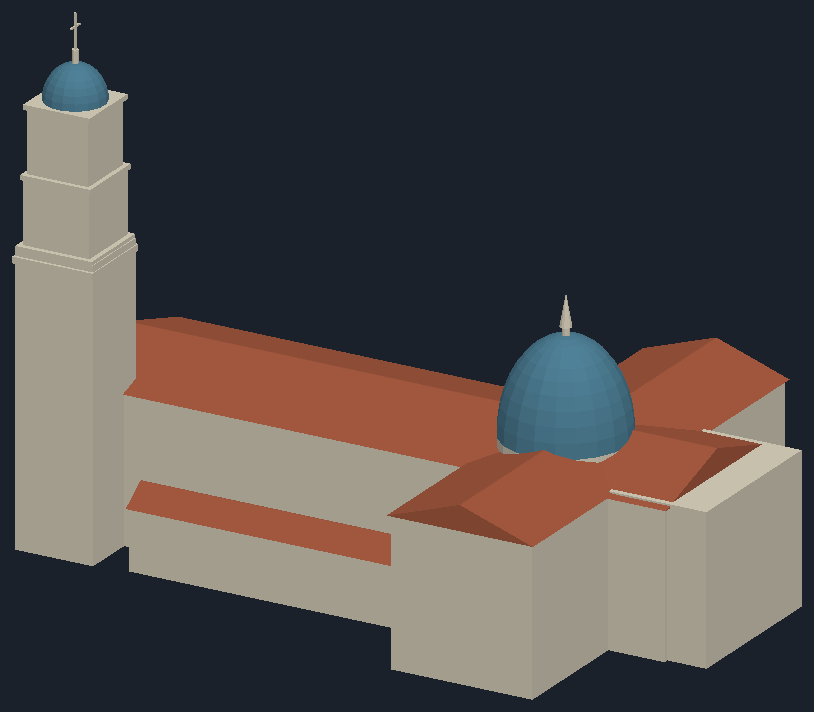
Not every model is only a few hundred bytes. More complex structures need more information. Jianbang Bridge is about 39 KB, Nanchan Temple's main hall 98 KB, and Ayuwang Pagoda 121 KB in their OBJ-EX files. OBJ-EX supports both rule-based shapes and more explicit geometry. Choosing an appropriate representation helps balance the outline and file size.
For me, this makes adding more landmarks faster and more sustainable.
Detailed contributions still matter
One example deserves special thanks: chenjinhun's shared model of Fenghuang Tower in Zunyi. It includes textures, which carry the colors and surface detail of the building as well as its 3D shape. This is a more detailed kind of modeling that takes additional effort.
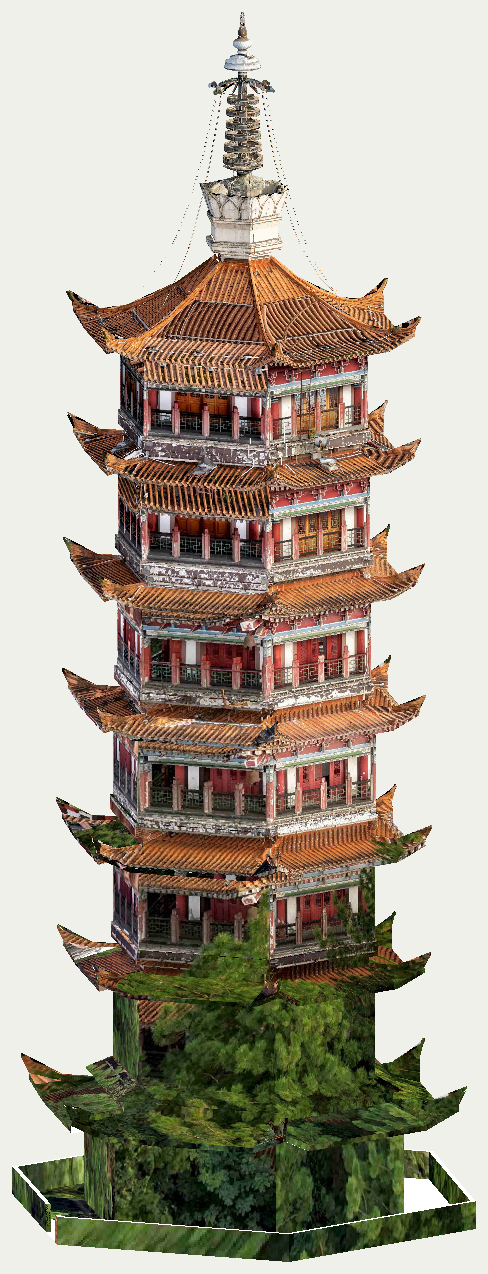
If you have modeling skills, please keep making and uploading your work. PlanIt also supports textured models. AI helps us cover more places; people who know a building and its surroundings can help make those models better.
Suggest the next landmark
Long-press its location on the map, then tap “Suggest Model.” We collect the suggestions and arrange the modeling work.
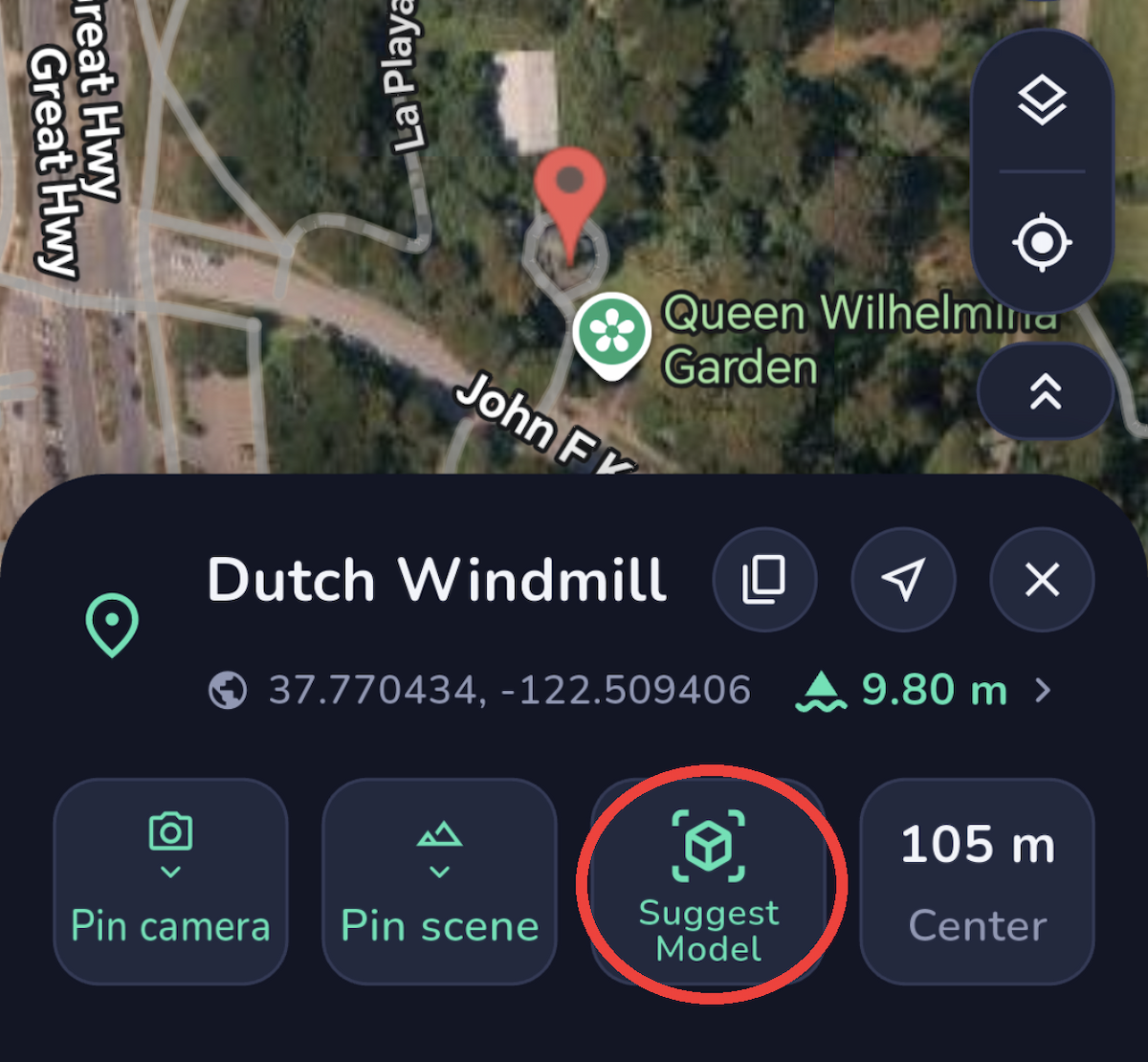
Please include the landmark's name and precise location, and tell us which part matters to your photograph: a spire, bridge tower, roof edge or opening. Marked satellite screenshots are useful, as are dimensions and source links.
With enough reference data, we can start modeling. If public information is limited, send your own ground-level or aerial photographs, or links to images you have found. Views from several sides, including the top and base, are especially helpful. Please include the original source and capture date when available.
Already see something wrong with a model? A specific explanation and a photo showing the discrepancy are much more useful than simply saying that it looks wrong.
Explore the collection
Browse the model showcase to see what has been made recently. The selection below contains 15 approved models from nine countries, including the United States, Japan, Vietnam, Türkiye, Slovenia, Egypt, Morocco, Saudi Arabia and Spain. It avoids repeating the individual examples above.
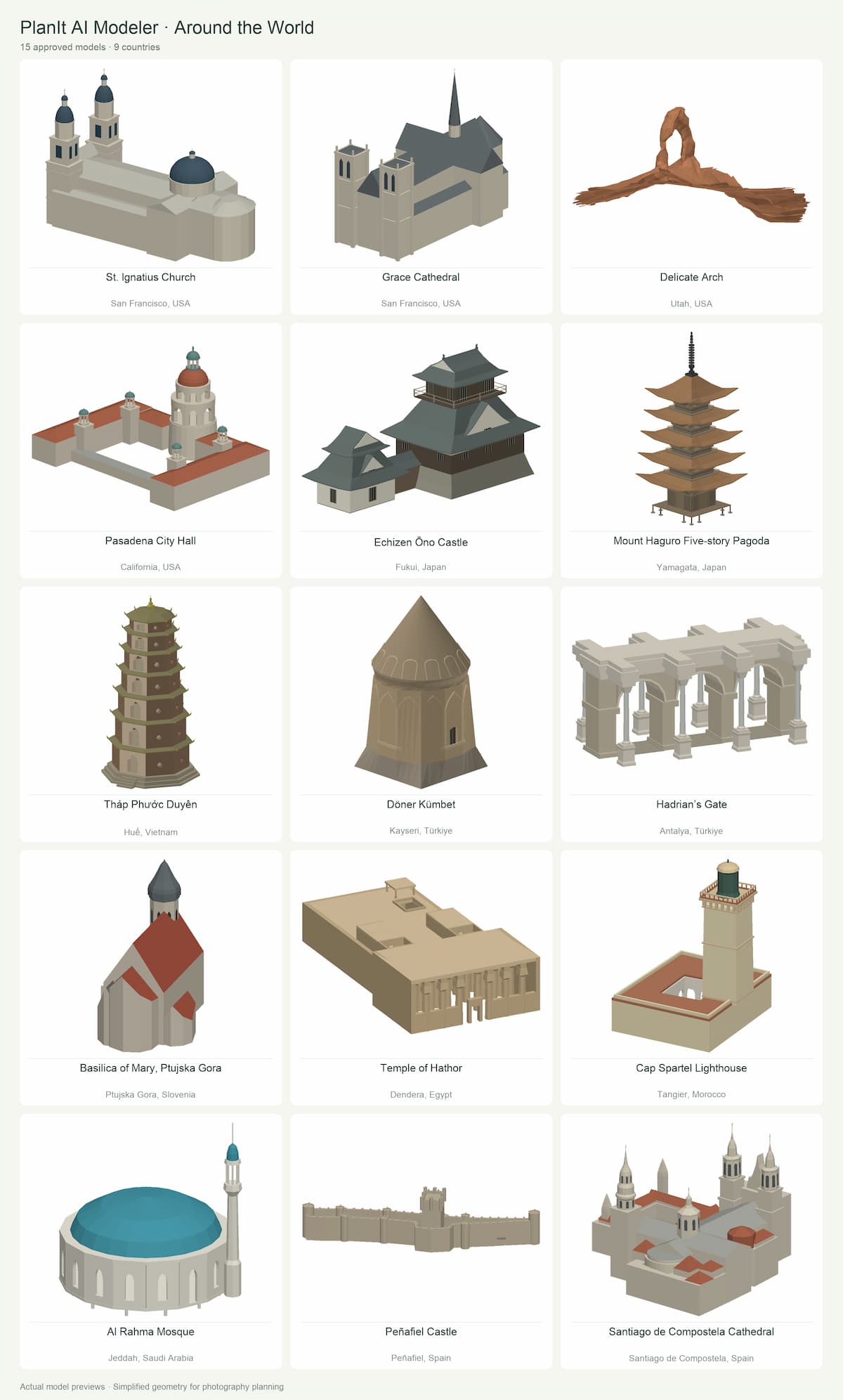
| Model | Location |
|---|---|
| St. Ignatius Church | San Francisco, USA |
| Grace Cathedral | San Francisco, USA |
| Delicate Arch | Utah, USA |
| Pasadena City Hall | California, USA |
| Echizen Ōno Castle | Fukui, Japan |
| Mount Haguro Five-story Pagoda | Yamagata, Japan |
| Tháp Phước Duyên | Huế, Vietnam |
| Döner Kümbet | Kayseri, Türkiye |
| Hadrian’s Gate | Antalya, Türkiye |
| Basilica of Mary, Ptujska Gora | Ptujska Gora, Slovenia |
| Temple of Hathor | Dendera, Egypt |
| Cap Spartel Lighthouse | Tangier, Morocco |
| Al Rahma Mosque | Jeddah, Saudi Arabia |
| Peñafiel Castle | Peñafiel, Spain |
| Santiago de Compostela Cathedral | Santiago de Compostela, Spain |
From the community effort in the Pro edition to today's AI-assisted process, the aim has stayed the same: help photographers see the picture they want to make before they leave home.
Tell us about the place you have wanted to photograph that still needs a model.
Thank you to everyone who has contributed
Your time, knowledge and generosity have helped other photographers prepare their photographs. The following 50 names are drawn from the highest counts of currently active model-sharing records, excluding official and AI accounts. This is not a ranking of artistic quality. For privacy, accounts named with phone numbers or email addresses are not listed publicly.
| titankour | j_sm |
| 凃岩 | xujunhao |
| oujili | 中国朝晚霞爱好者 |
| kikebustos | peterpraum |
| 烟斗_广东珠海 | eason123 |
| 大凯 | chenjinhun |
| 桃李不言 | wpb950116 |
| 青蛙慧眼 | 东方一戈 |
| vkripense59 | heed |
| agostinho | dennis059 |
| 惠州第一深情 | imagesbydouble.d |
| hxk209 | yangtao |
| 曹军啦 | 星与月 |
| malabar1975 | juanrico |
| louis_xiv | kwange |
| 暖暖寒 | odlavso |
| 追影凡人 | ameliecn |
| andreasbrett | 要自由的小吴同学 |
| 骑影 | gao_5213 |
| yors3geway | yqsjl118929 |
| mochen | S.R.hong |
| 贺兆祺 | blankitowhite |
| 君言 | sergeylouks |
| fuhesong | 拍酱LWJ |
| trisanima | liqi1909 |
Thank you also to everyone whose name is not listed here. Every contribution makes the collection more useful. Thank you for helping us get this far.